Free · checked in your browser · nothing is sent
Sending crypto?
Check the address first.
Paste an address before you send. See which chain it belongs to, whether it has a typo, and in plain words whether your wallet can send to it. For Zcash it also tells you if a transparent-only or a shielded wallet can pay it.
Also in Telegram: ask @WheresMySwap_Bot before you send.
Addresses checked on 10 chains


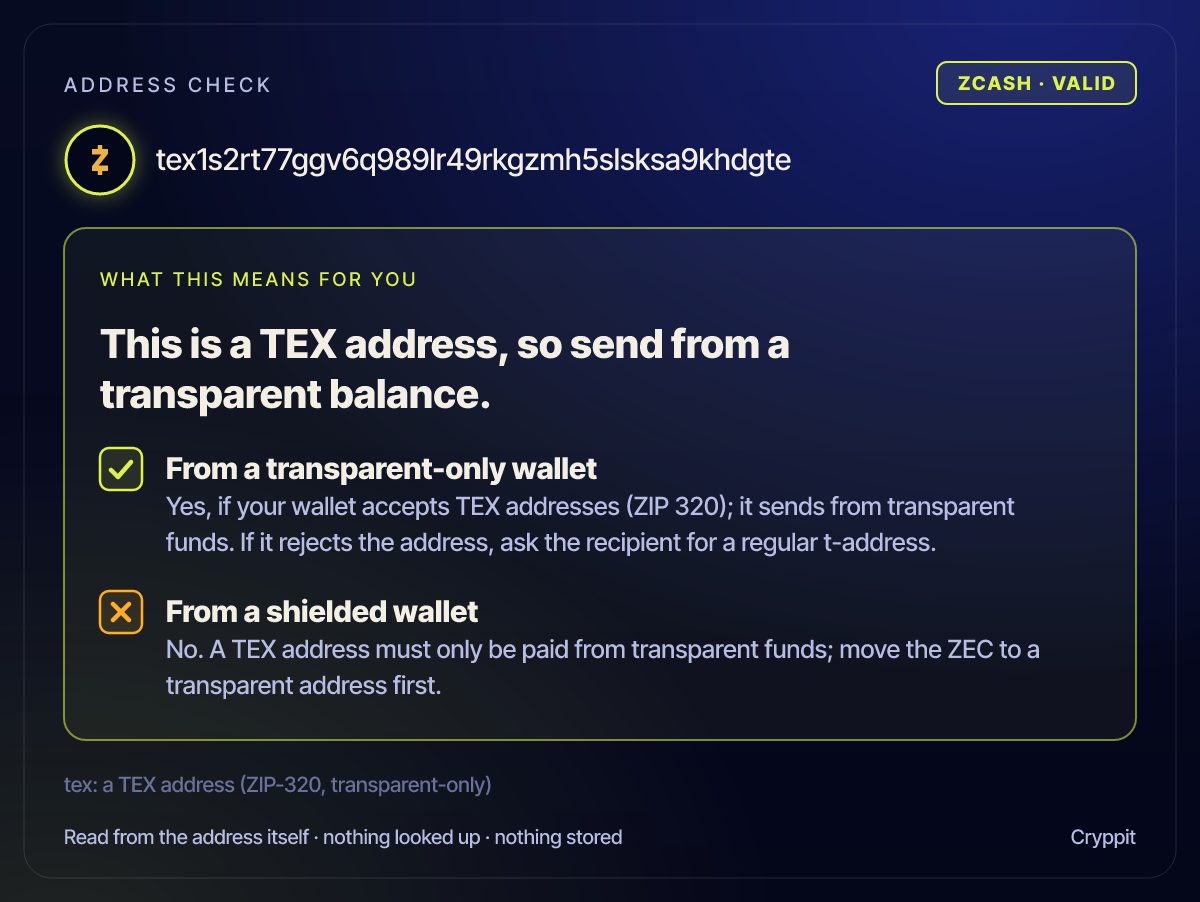
tex1s2rt…khdgteZcash · valid
This is a TEX address, so send from a transparent balance.
From a transparent-only wallet
From a shielded wallet

bc1qw508…v8f3t4Bitcoin
Stop: this is not a Zcash address.
Sending ZEC to it would likely lose it. Ask for a Zcash address.
Also in Telegram
Ask the bot before you send.
The same check, in a chat. Send the bot an address and it answers in plain words, then sends a picture of the answer you can forward to anyone.
- 1
Open the bot
Search for @WheresMySwap_Bot in Telegram, or use the button below, and press Start.
- 2
Send /address and the address
Add the chain you are sending on at the end, if you like:
/address tex1s2rt77ggv6q989lr49rkgzmh5slsksa9khdgte zcashIn a private chat with the bot you can also just paste the address, with no command.
- 3
Read the answer
Which chain it belongs to, whether it has a typo, and for Zcash whether a transparent-only or a shielded wallet can pay it, then the picture. If you named a chain and the address belongs to another, it says Stop.
Chain words it knows: zcash, bitcoin, ethereum (or base, arbitrum, optimism, polygon, bnb), solana, tron, xrp, stellar, ton, dogecoin, near. The bot reads only the address itself: nothing is looked up or kept.
/address tex1s2rt…khdgte zcash